
What your employees get from the health programme
You plan workplace health promotion (WHP); your employees experience it — in their own portal that fits on a phone. There they join activities, sign up for events and say what they would like.
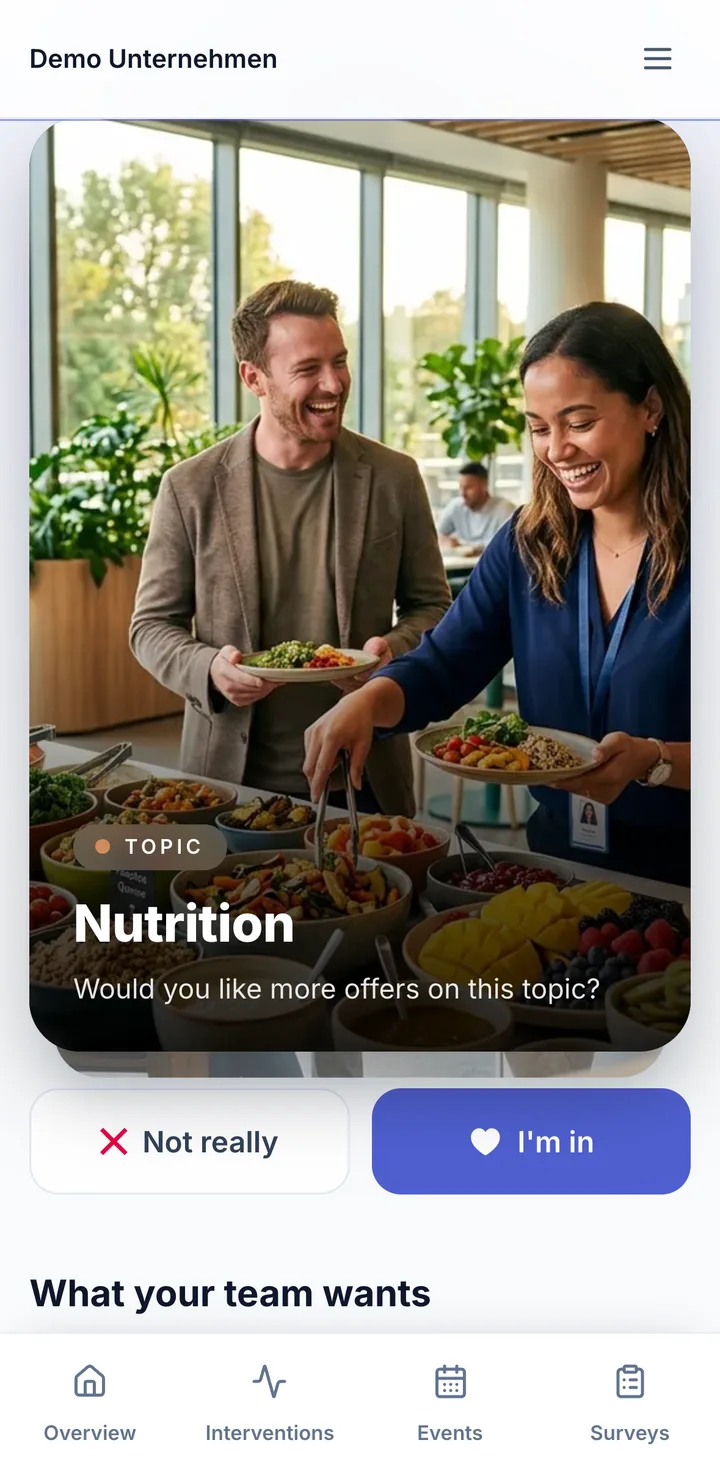
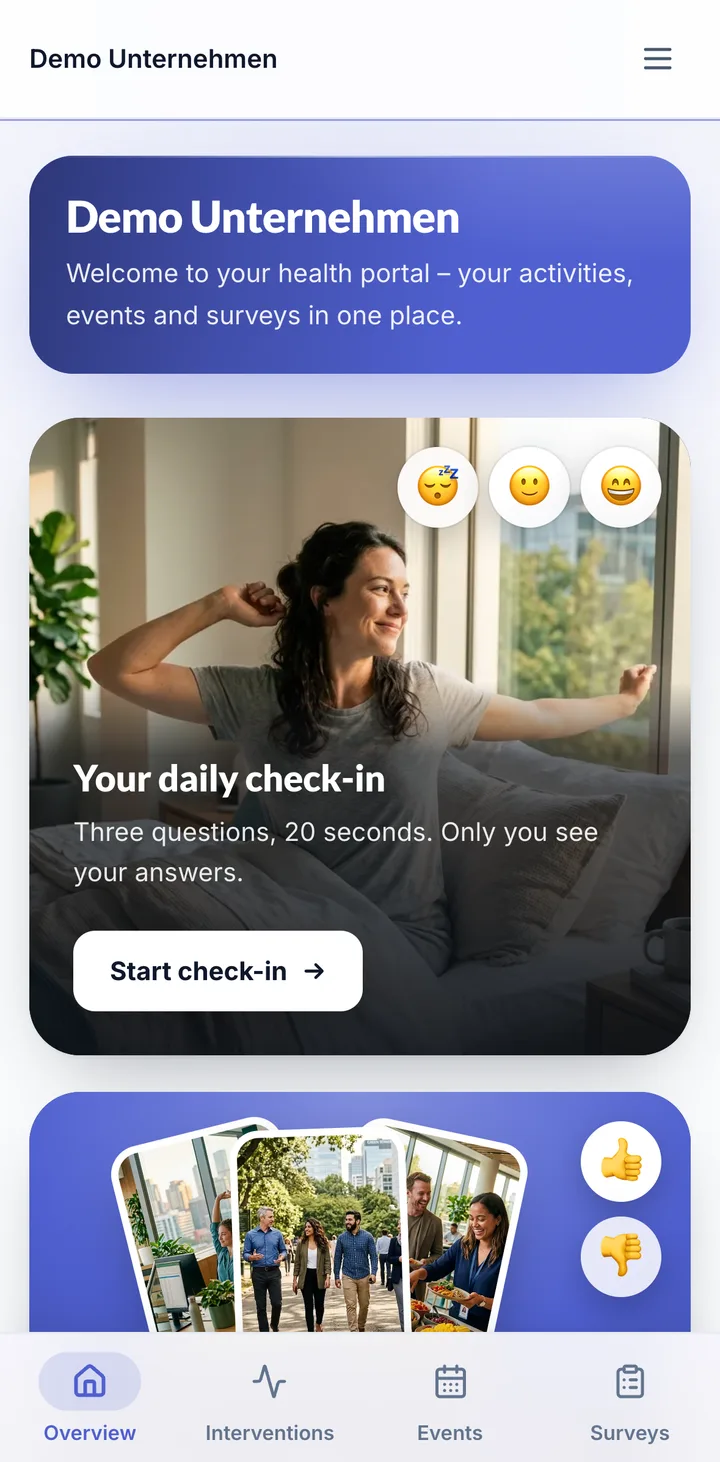
A portal that fits in your pocket.
Everything your company does for health, in one place — this is what your employees see.
On the phone like an app
The portal can be added to the home screen. Once set up in the profile, signing in also works with fingerprint or face recognition.
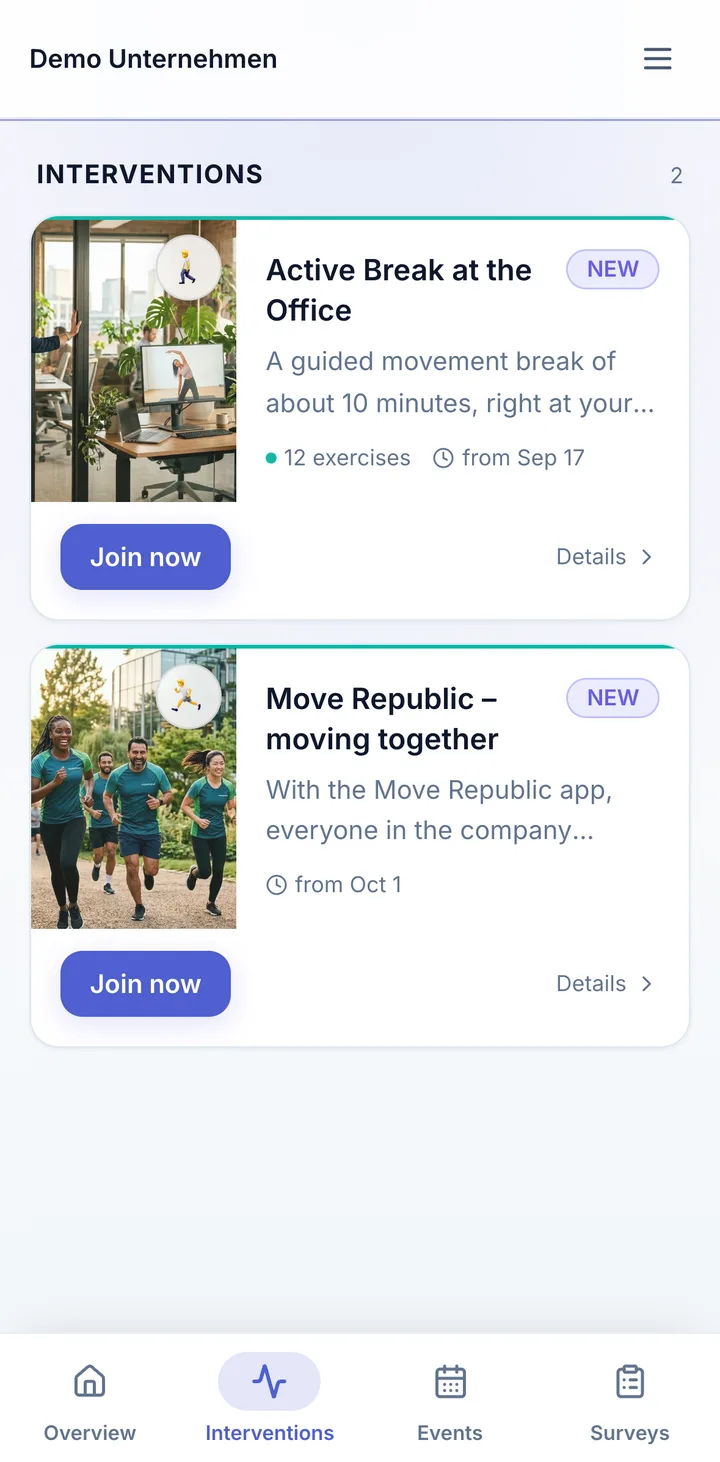
Activities in one click
Whether a lunch walk, a micro-break challenge or a back class: one click on “Join now” is enough. When all places are taken, they go on the waiting list.
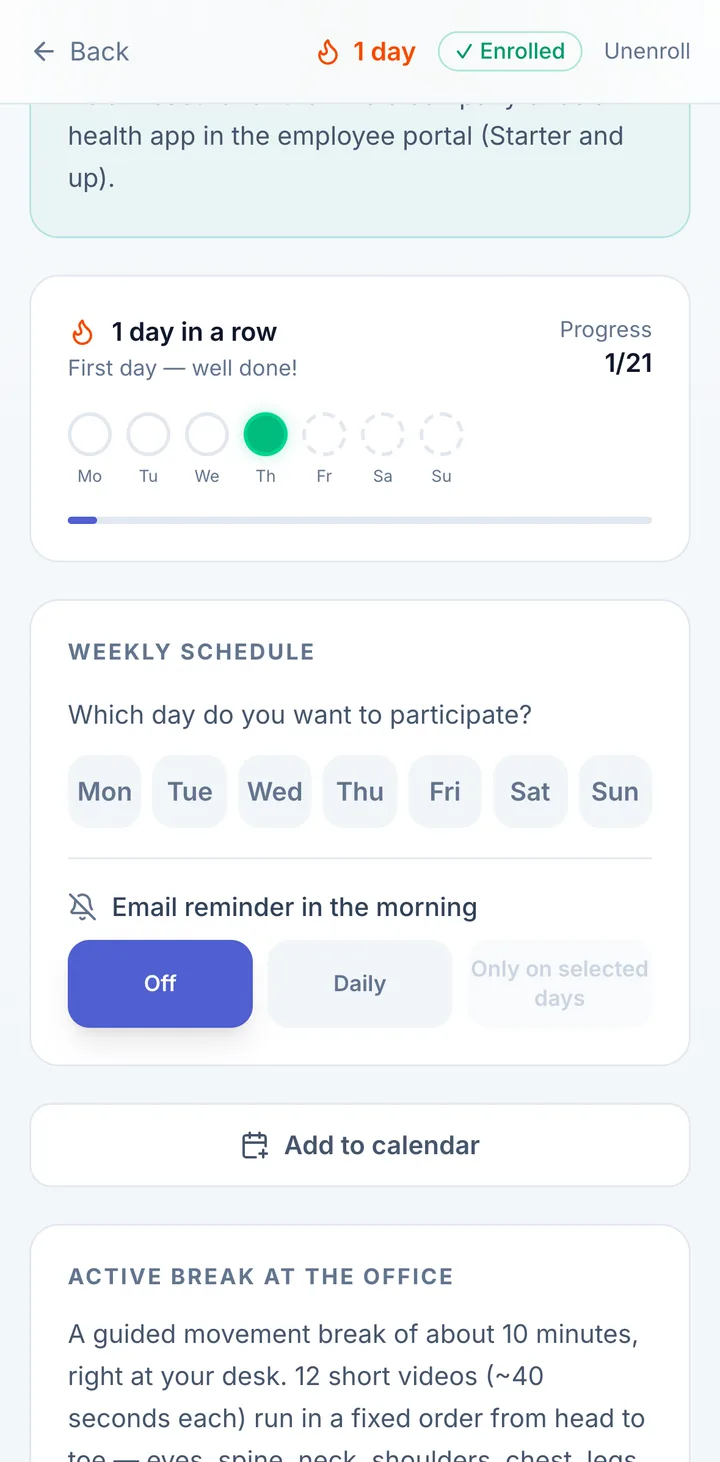
Keeping at it with check-ins
For activities that build a habit, employees tick off day by day and watch their streak grow.
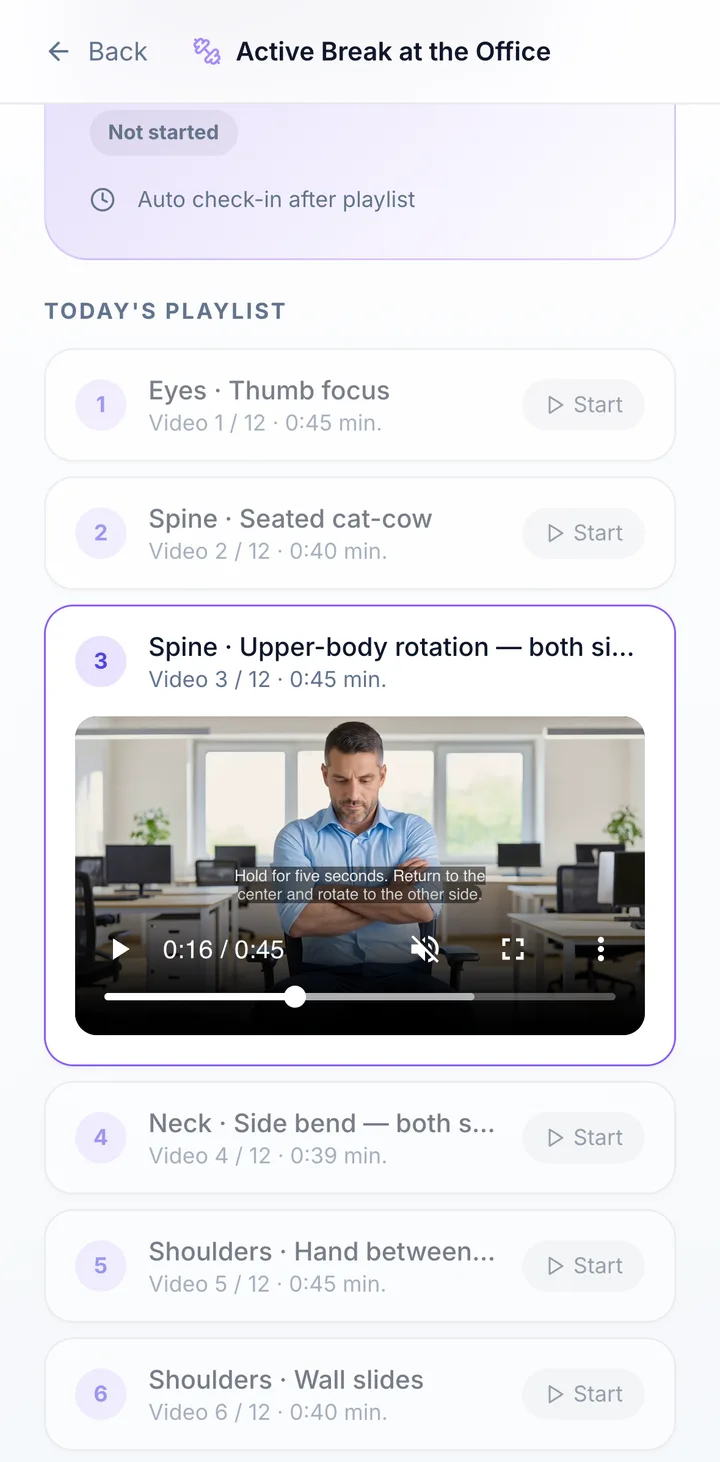
Active break by video
If your company offers it: about ten minutes of movement right at the workplace, guided by short videos — started whenever it fits the working day, with rest days.
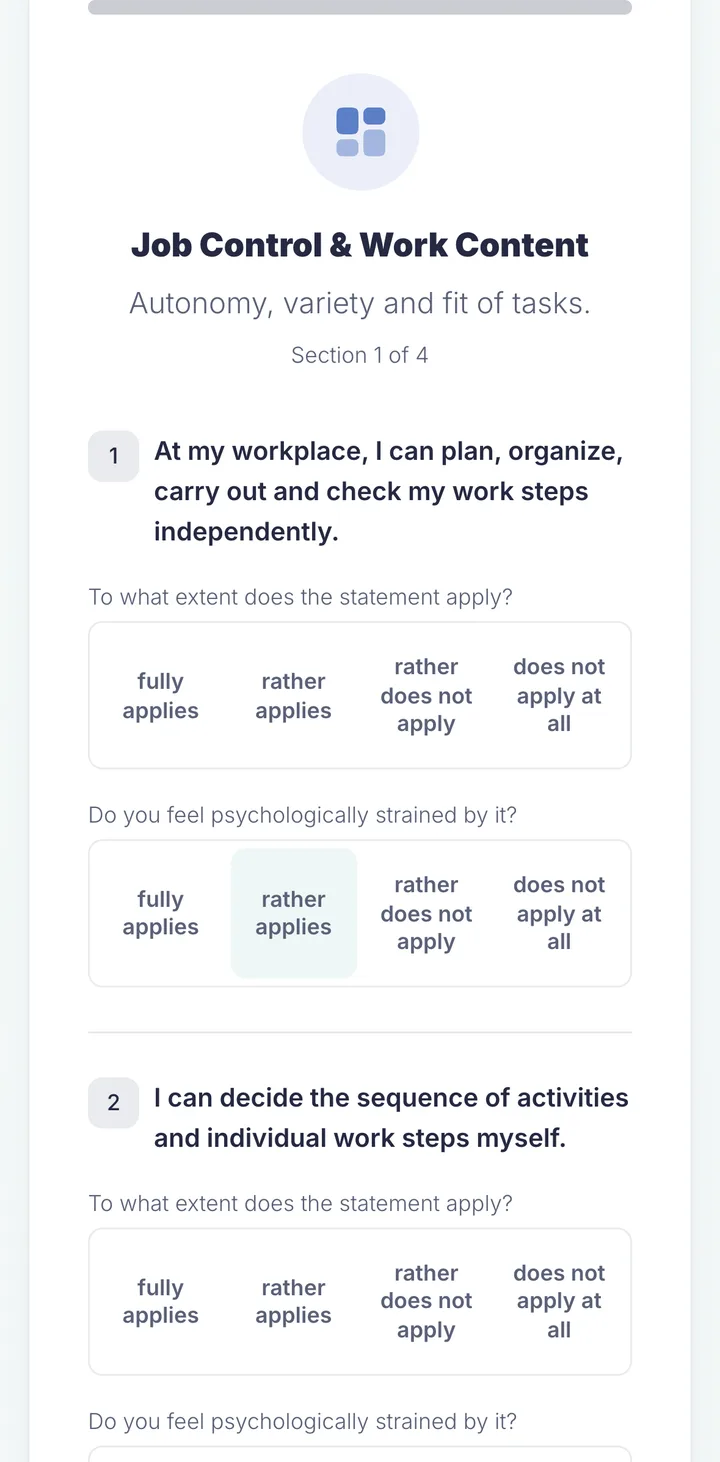
Short surveys
They answer surveys in the portal or via a link, usually within a few minutes.

For everyone in the company. Not just the office.
Desk, shop floor or on the road: the portal runs on any phone. Put the QR code up where your people are.
How your employees get in
- Invitation by email
- You invite from the staff list. Everyone gets an email in their own language with a personal link.
- Link and QR code to put up
- For the break room, intranet or notice board. If you switch it on, employees can also register themselves — optionally only with a company address or company code.
- On the phone like an app
- The portal can be added to the home screen. Once set up in the profile, signing in also works with fingerprint or face recognition.
- In six languages
- German, English, Spanish, Danish, Norwegian and Polish — everyone picks their own language.
Ask your team. With a swipe.
I'm in or not really: employees swipe through topics, activities and offers. You only see totals, never a list of who swiped what — health-related topics only from five votes.
Try it
Swipe for yourself.
This is what the wish check looks like for your employees: five activities that really exist in the portal. Drag, tap or use the arrow keys — nothing is saved here.
Card 1 of 5

Activity
Lunch Walk

Ten minutes that fit into the working day.
Active break, lunch walk, back class: activities nobody has to organise first — in the portal, one click and you're in.

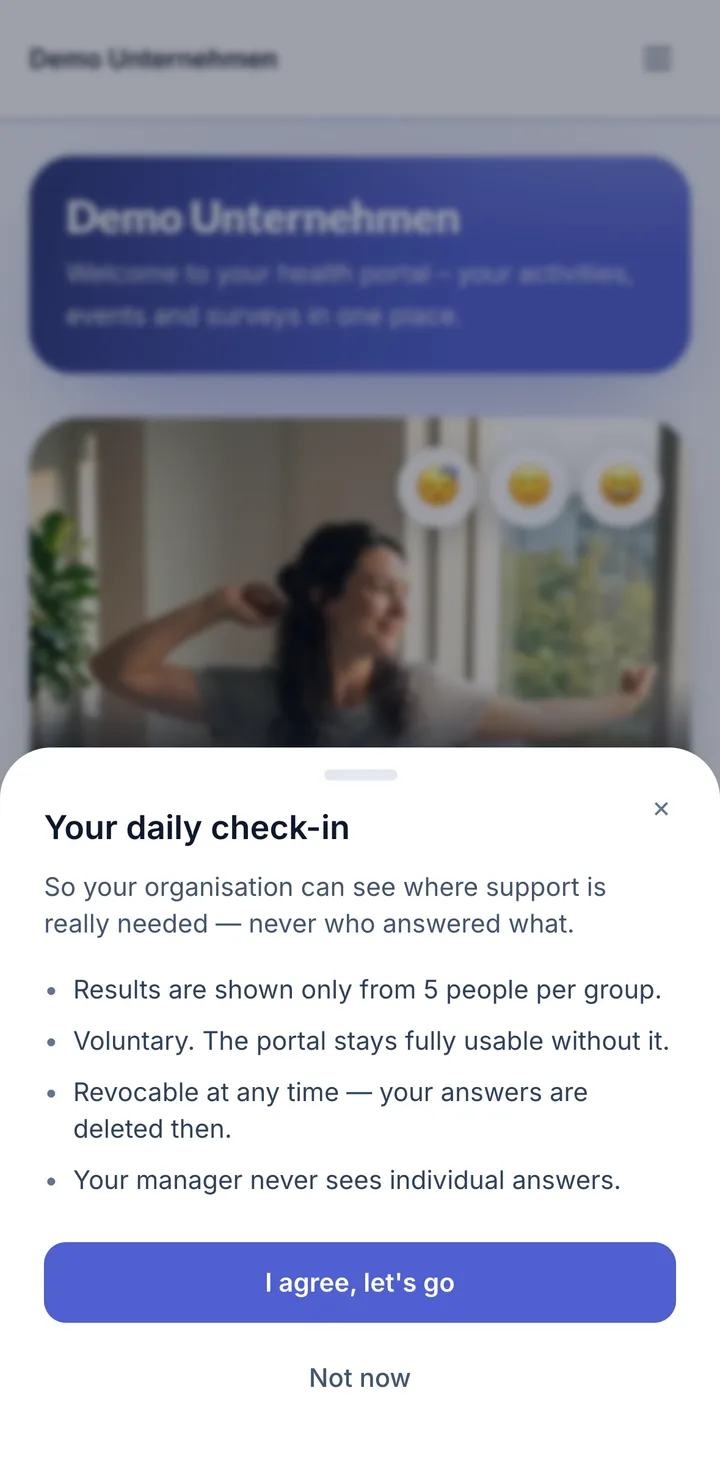
Twenty seconds in the morning.
Three questions on how people feel, voluntary and only with consent. Results only from five people; managers never see individual answers.
- Daily check-in
- Anyone who wants to answers three short questions on how they feel in the morning — about 20 seconds, only with consent and can be stopped at any time.
- Ideas for the health team
- If you switch it on, employees send suggestions and feedback straight from the portal.
What you see — and what you don't
Health promotion depends on trust. That is why we say exactly what reaches whom in the portal.
You don't see
- Individual answers in anonymous surveys, or who gave them
- Individual people's answers in the daily check-in — managers don't either
- A list of who voted how in the wish check — you only see totals, health-related topics only from five votes
- Results on health-related topics before at least five people have answered
- Anything from the German return-to-work process (BEM) — it is not in the portal
You do see
- Who has signed up for an activity or event
- Who is registered in the portal and roughly how long ago they last signed in
- Who newly joins the portal — managers get a notification with the person's email address
- Whether invitation emails were opened and links visited
- Ideas and feedback — they are linked to the person who sends them
- In anonymous surveys, whether an invited person took part — not what they answered
- Answers in surveys not set up as anonymous, such as an exit interview. A survey is anonymous if you choose so when creating it; questionnaires on health and psychological strain are always anonymous
Your company is responsible for the data; EasyWHP processes it on your behalf. If you have a works council, involve it before you start. Data processing agreement
What it is not
- Not a fitness app with a step counter
- EasyWHP does not count steps or read smartwatches. Step challenges run as an activity with a partner such as Move Republic in their app.
- Not a gym network
- Employees don't get gym access, but the activities your company plans — many of them cost nothing but a little time.
- Not tied to a health insurer
- The programme belongs to your company, whichever insurer your employees are with.
For you as the person in charge
- Start for free
- You use the baseline check and the activity catalogue at no cost. There you see the portal as a preview; it is fully included from the Starter plan.
- Fewer lists
- Inviting, reminding, participation and documentation run alongside — instead of in spreadsheets and mailing lists.
- Compliance and return-to-work can be added
- The portal is part of workplace health promotion. Occupational safety and the return-to-work process (BEM, German law) can be switched on in the same tool.
Frequently asked questions
Is there an app for employees?
Yes, as a web app: the portal runs in the browser and can be added to the home screen like an app — no app store needed.
Do employees need an account?
For the portal, yes; signing up takes a minute, later optionally with fingerprint or face recognition. Surveys can also be answered without an account via a link.
Does my employer see my answers?
Not in anonymous surveys — neither the individual answer nor who gave it. Results on health-related topics only appear from five answers. What is visible is who signs up for activities and events and, with a personal invitation, whether someone took part in a survey.
Is it tied to a health insurer?
No. EasyWHP does not belong to any insurer and works regardless of where your employees are insured.
Are there challenges?
Yes, as activities — such as a micro-break challenge or an exercise month with check-ins and streaks. Step challenges with a step counter run via partners such as Move Republic.
Isn't a spreadsheet enough for 50 employees?
For planning, maybe. But invitations, reminders, sign-ups, anonymous surveys and documentation take time with spreadsheets — in the portal they run alongside. And you can start for free.
What does it cost?
Starting is free. The employee portal is included from the Starter plan; current prices are on the pricing page.

Try it with your team
Start for free and invite a few colleagues first.